How to Register and Start Teaching on KwikTeach
If you're a teacher looking to earn by teaching students online, KwikTeach makes it easy to connect with learners from anywhere in the world.
Follow this simple step-by-step guide to get started and begin your teaching journey on KwikTeach, the global platform that connects passionate teachers with eager students.
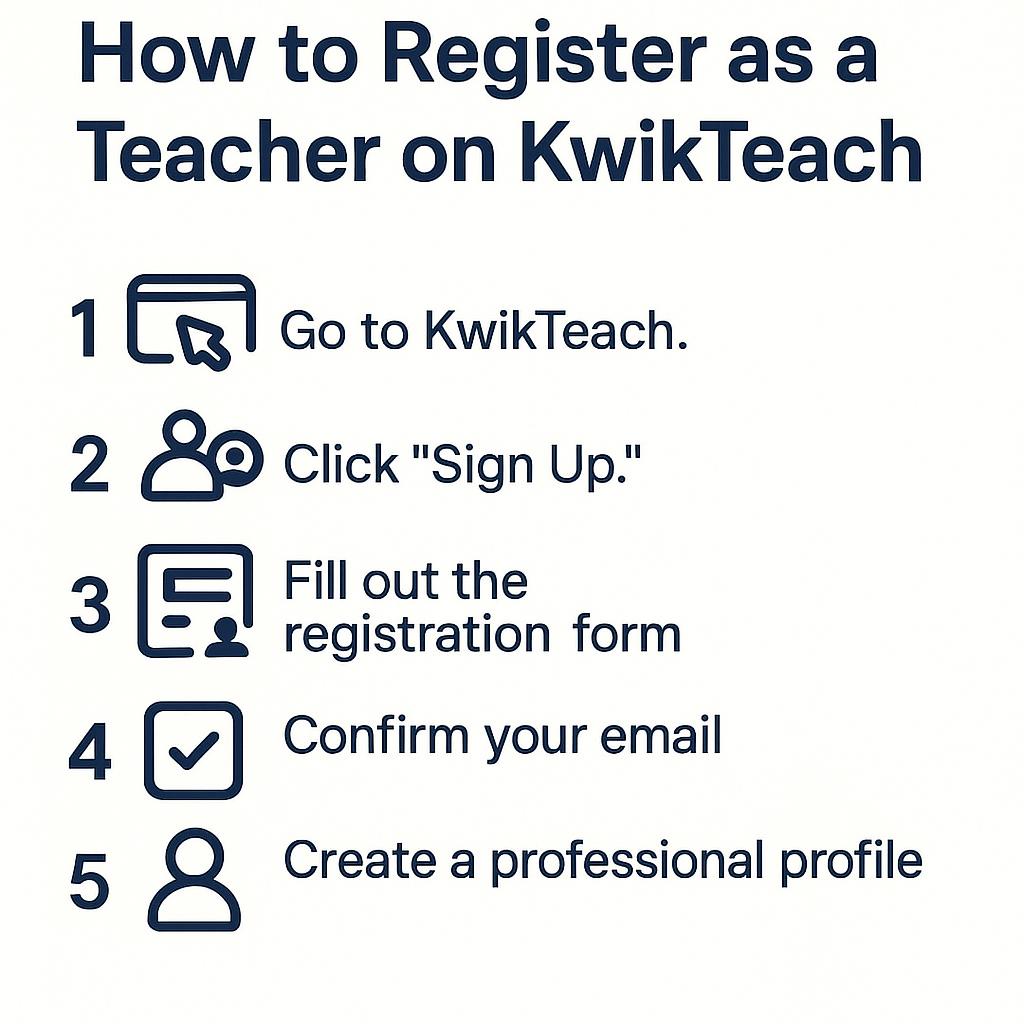
Step 1: Visit the KwikTeach Website
Go to www.kwikteach.com
-
• Click on "Register" or "Sign Up" from the homepage.
-
• Choose your preferred role, in this case, select "Register as a Teacher."
Step 2: Enter Your Basic Information
Fill out the registration form with your details:
-
• Full Name
• Email Address
• Password
• Choose Teacher as your account type
Once done, check your email and verify your account using the confirmation link sent to you.
Step 3: Create Your Professional Profile
Your profile is your first impression, make it count! Include:
-
• A clear and professional profile picture
• A short, engaging introduction about yourself
• Your teaching style and approach
-
Details such as:
-
• Languages you speak
• Subjects you teach
• Levels you teach (School, College, Adults, etc.)
-
Step 4: Set Your Pricing
You can either offer:
-
• A free demo class to attract students, or
• Set a competitive hourly rate based on your experience and subject.
Tip: Start with a reasonable rate to build your reputation and gain reviews.
Step 5: Submit and Start Teaching
Once you've completed your profile:
-
• Click “Submit” or “Create Account.”
• After approval, your profile will go live.
Then you can:
-
• Receive student requests
• Schedule classes at your convenience
• Start teaching and earning from anywhere
Quick Tip
Keep your profile updated and active!
Respond quickly to student messages to improve your visibility and chances of getting hired.
Need help creating an impressive profile?
Check out "Learn How to Create a Great Teacher Profile"
Start Today
Your skills deserve a global stage.
Join KwikTeach today and turn your passion for teaching into impact and income.
Teach. Inspire. Grow. Only on KwikTeach.